Layouts & templates
Every MomentA design starts from a layout template that controls the layer stack, orientation, and where each content zone lives. Here is the full reference.
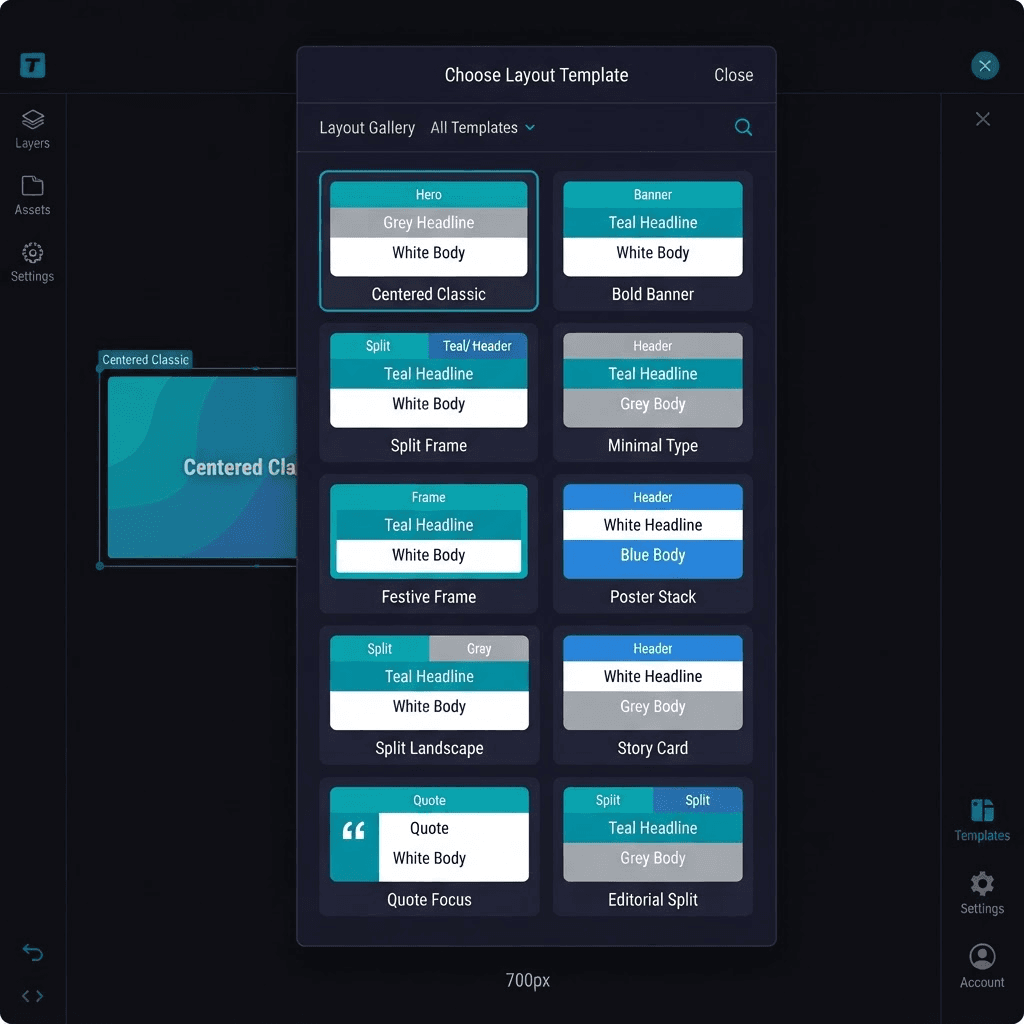
A template is a named arrangement of content zones — hero artwork, photo safe area, headline, subtitle, body copy, quote, signature, and more — stacked in a specific order on the canvas. When you pick a template, MomentA uses its zone map to compose the AI-generated artwork so the image leaves the right space clear for your text.
The semantic layer model
Every template follows the same 12-layer stack, ordered from back to front. Not every template uses all layers, but the z-order is always consistent so layers never overlap incorrectly.
| Layer | What it is | Z-order |
|---|---|---|
| Background | Solid color or texture — the full-canvas backdrop. | 1 |
| Decorative BG | Watercolor splashes, confetti, bokeh — behind everything else. | 2 |
| Border | Decorative frame or ribbon around the edge. | 3 |
| Hero | Main illustration or AI-generated artwork. | 4 |
| Photo | Recipient or sender portrait, composited over the hero. | 5 |
| Accent | Sparkles, flowers, balloons — small decorative elements. | 6 |
| Headline | Primary greeting text. | 7 |
| Subheadline | Subtitle or occasion line. | 8 |
| Body | Personalised paragraph. | 9 |
| Quote | Verse, poem, or scripture. | 10 |
| Signature | Sender names. | 11 |
| QR / Logo | QR code, brand mark, or video CTA. | 12 |
Orientations
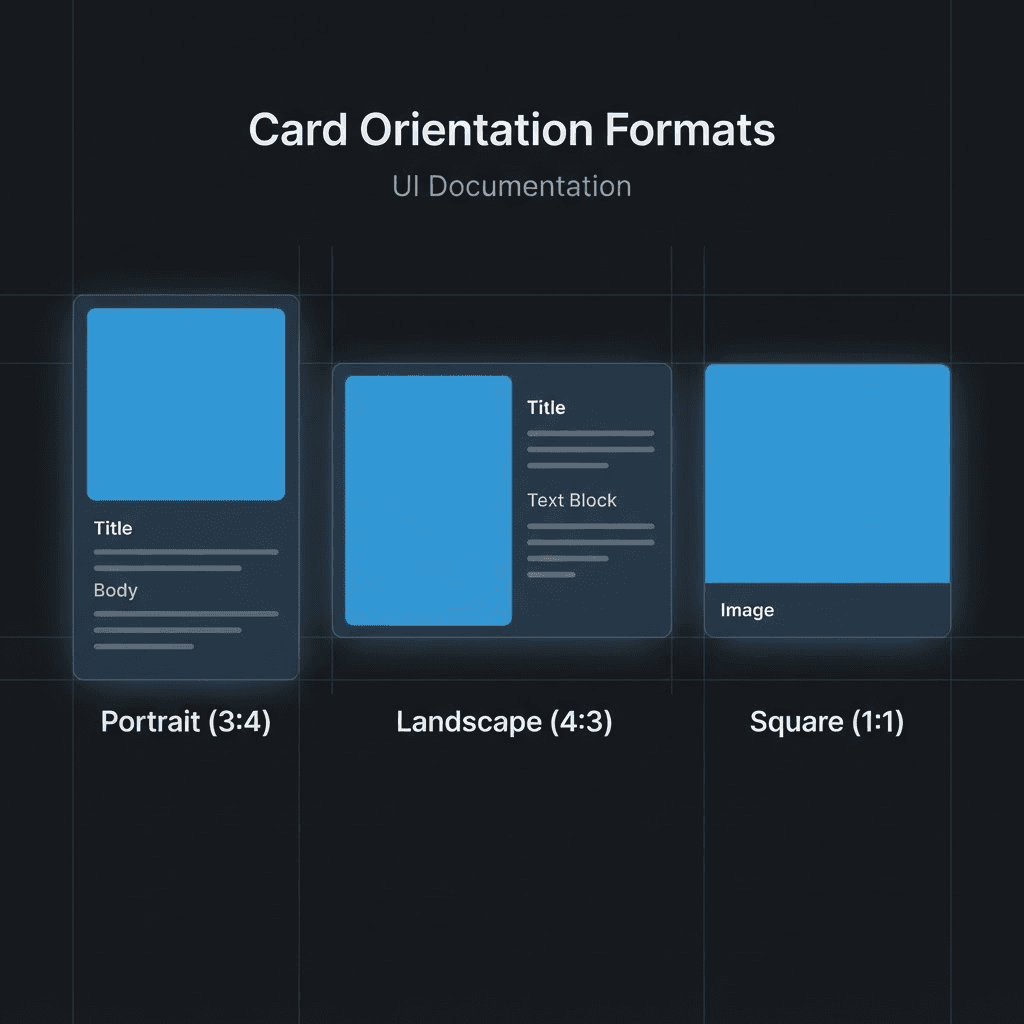
Templates come in three orientations. The orientation affects the AI image prompt so the artwork is composed correctly for the aspect ratio.
Portrait
Tall cards — greeting cards, invitations, story-format social posts. Most templates are portrait.
Landscape
Wide cards — event banners, business invitations, two-column layouts. Use Split Landscape for this.
Square
1:1 social posts and full-bleed artwork. Bold Banner and Editorial Split are square.
Template reference
Ten templates ship with MomentA. Each entry below lists its orientation, which content types it suits, and the zone arrangement.
Centered Classic — Portrait
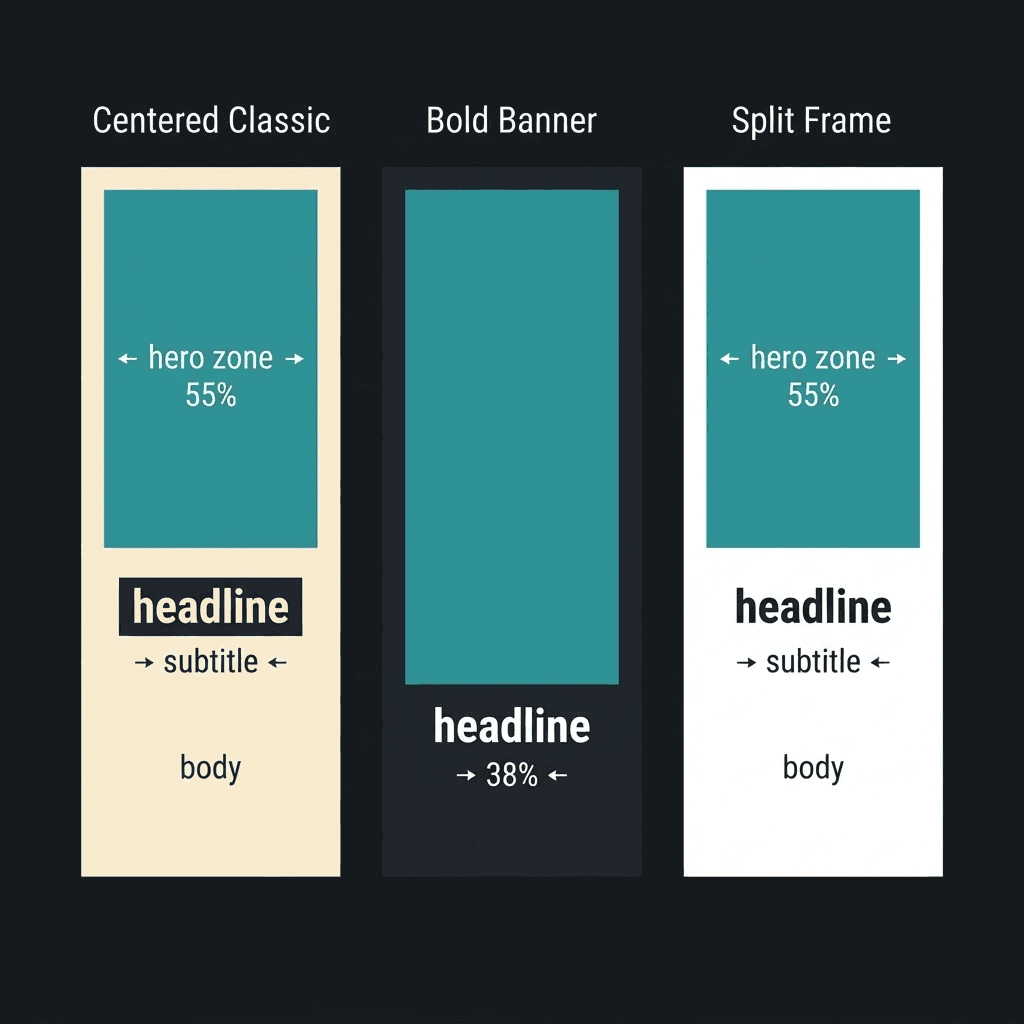
Hero fills the top 55%. Photo safe area is inset within the hero. Headline, subtitle, and body sit in the lower 45%. Best for greeting cards and invitations.
Festive Frame — Portrait
Decorative headline banner at the top (top 23%). Hero artwork in the centre (24–72%). Message text in the bottom 28%. Best for celebrations and parties.
Split Frame — Portrait
Full-width hero fills the top 57%. Clean text panel below with left-aligned headline, subtitle, and body. Best for cards and social posts.
Minimal Type — Portrait
Subtle decorative background — no competing imagery. The full canvas is a text surface. Best for poetry cards, condolences, and refined notes.
Bold Banner — Square
Full-bleed artwork covers the entire canvas. Subject should be in the top 60%; the lower 38% carries text overlays. Best for social posts and flyers.
Poster Stack — Portrait
Typography-first: top 41% is pure headline space. Hero image fills rows 42–83%. Single message line at the bottom. Best for event posters and print flyers.
Split Landscape — Landscape
Two-column: hero fills the left half, clean dark text panel on the right. Best for business invitations and event flyers.
Story Card — Portrait
9:16 story format. Full-bleed artwork with headline at top and message at bottom. Best for Instagram Stories and social reels.
Quote Focus — Portrait
Soft watercolor or botanical background — low visual weight. Large pull-quote centred on the canvas. Best for verse cards, memorial cards, and inspirational posts.
Editorial Split — Square
Right half is editorial photo/art; left half is a clean cream typography panel. Best for magazine-style social posts and brand announcements.
How templates influence AI artwork
When MomentA generates artwork for your design, it reads the template's layout hint — a plain-English description of the zone structure — and injects it into the image-generation prompt. This means the AI knows where to leave open space for the headline, where the photo safe area is, and whether the card is portrait, landscape, or square. You never have to describe the composition yourself.
Switching templates after generation
You can change the template after the AI has generated artwork. The existing layers stay in place; only the zone positions update. Some repositioning in the editor may be needed.
Canvas sizes
Use the Resize tool to switch to a specific print size or platform. Sizes are grouped so you can find the right one fast.
- Print paper: A3, A4, A5, US Letter, Legal, Tabloid.
- Print products: flyer, poster, postcard, greeting card, business card, invitation.
- Presentations & documents: 16:9, 4:3, and letter-size docs.
- Instagram: post, portrait, story, reel.
- TikTok & YouTube: video, thumbnail, short, channel art.
- Facebook & other social: post, story, cover, LinkedIn, X, Pinterest, Twitch, Etsy.
Note
Print sizes are measured in real inches so exports come out at the correct physical dimensions.